
Activity statements are on ELITE+ and AUTO+, in the web and desktop apps. Nothing is sent to a tax office from 2Fin.
Catch up on overdue periods
1
Open Tax Filing
Go to 4. Reports & Automation → Activity Statement. If you have not told 2Fin yet, it asks whether your business is registered for GST or VAT.
2
Enter your registration date
Fin lists every period since that date with its due date and status: Not started, Draft, Ready to lodge or Lodged.
3
Fill all periods
Press Fill all periods to save a draft for every period you owe. Progress shows as it goes. Each draft still waits for your review.
4
Review, lodge, mark as lodged
Open each draft, check it, lodge it with your tax office, then press Mark as lodged.
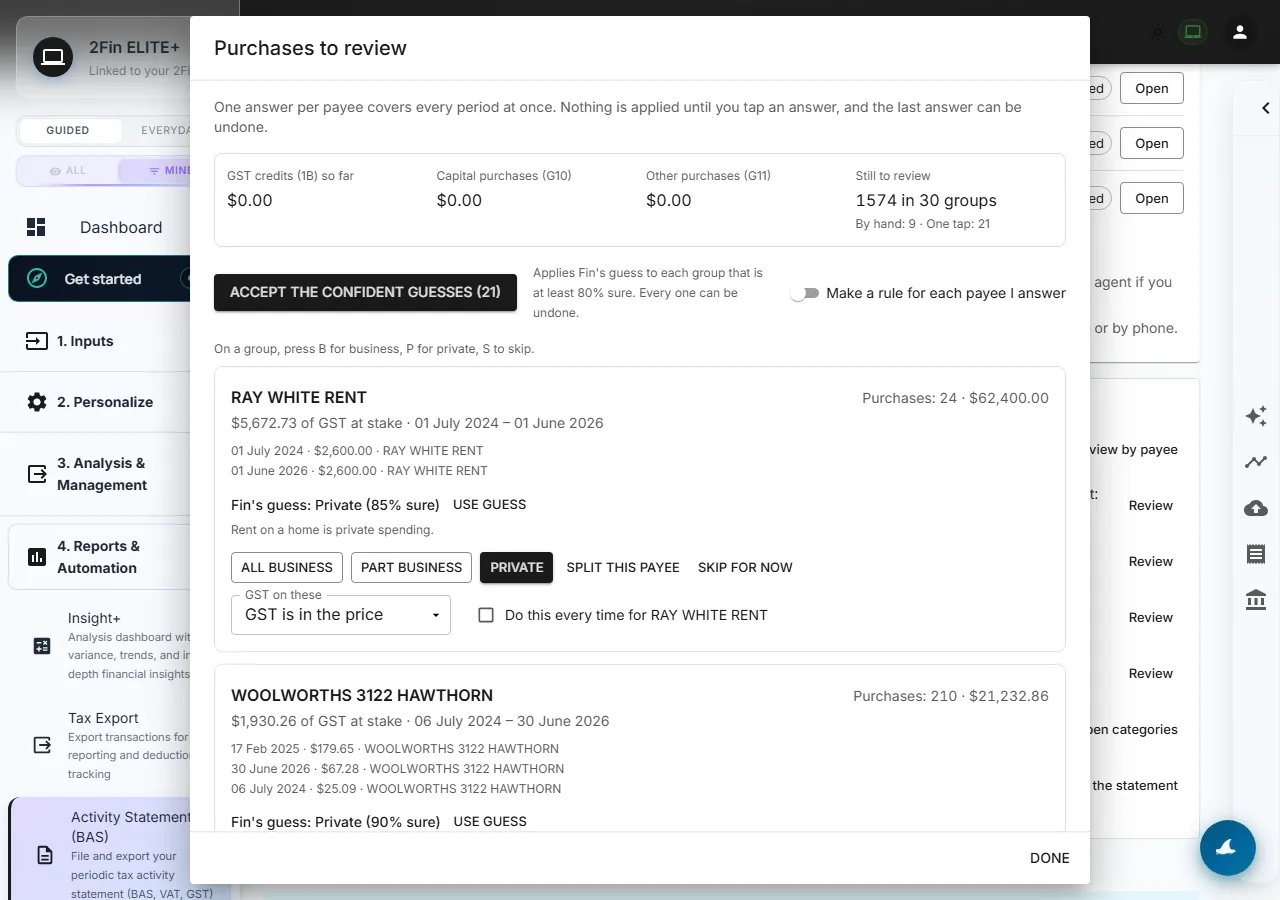
The purchases review: one answer per payee across every period. Example figures from test books.
The purchases review
Purchases are grouped by payee across every period, so one answer covers that supplier everywhere.
Fin shows a guess for each payee with how sure it is and why. A guess is never applied on its own: you tap Use guess, or Accept the confident guesses for those at least 80% sure. Every answer can be undone.
Open any figure
Click any figure on a statement — or a main line of the year-end return — to see the transactions inside it. Change a row there, then copy or export the list for your agent.Country notes
Australia — BAS
Australia — BAS
GST on sales (G1, 1A) and purchases (G10, G11, 1B), with capital purchases, the car limit and the tax-invoice rule applied. Salary and wages never reach G1 for a person with mixed income.
New Zealand — GST return
New Zealand — GST return
Monthly, two-monthly or six-monthly, as Inland Revenue sets your filing period.
United Kingdom — VAT return
United Kingdom — VAT return
Prepared for your VAT stagger’s quarters. 2Fin is not connected to Making Tax Digital: submit through your own MTD software or agent.
Canada — GST/HST return
Canada — GST/HST return
Set your province. HST applies in Ontario, New Brunswick, Newfoundland and Labrador, Nova Scotia and Prince Edward Island.
United States
United States
The prepared statement is Form 941, the employer’s quarterly payroll return. State sales tax stays with your sales-tax tool or accountant.
India
India
GSTR-3B table 3.1(a), from sales only, filled as intra-state.