
Track a bill
1
Let Fin find it
Repeats are offered in the import review’s Repeats step and under Recurring patterns → Suggestions.
2
Track it
Press Track it (or Create as bill). The bill takes its usual amount and next due date from the payments so far.
3
Or add one yourself
Add recurring pattern for a bill that has not been paid yet.
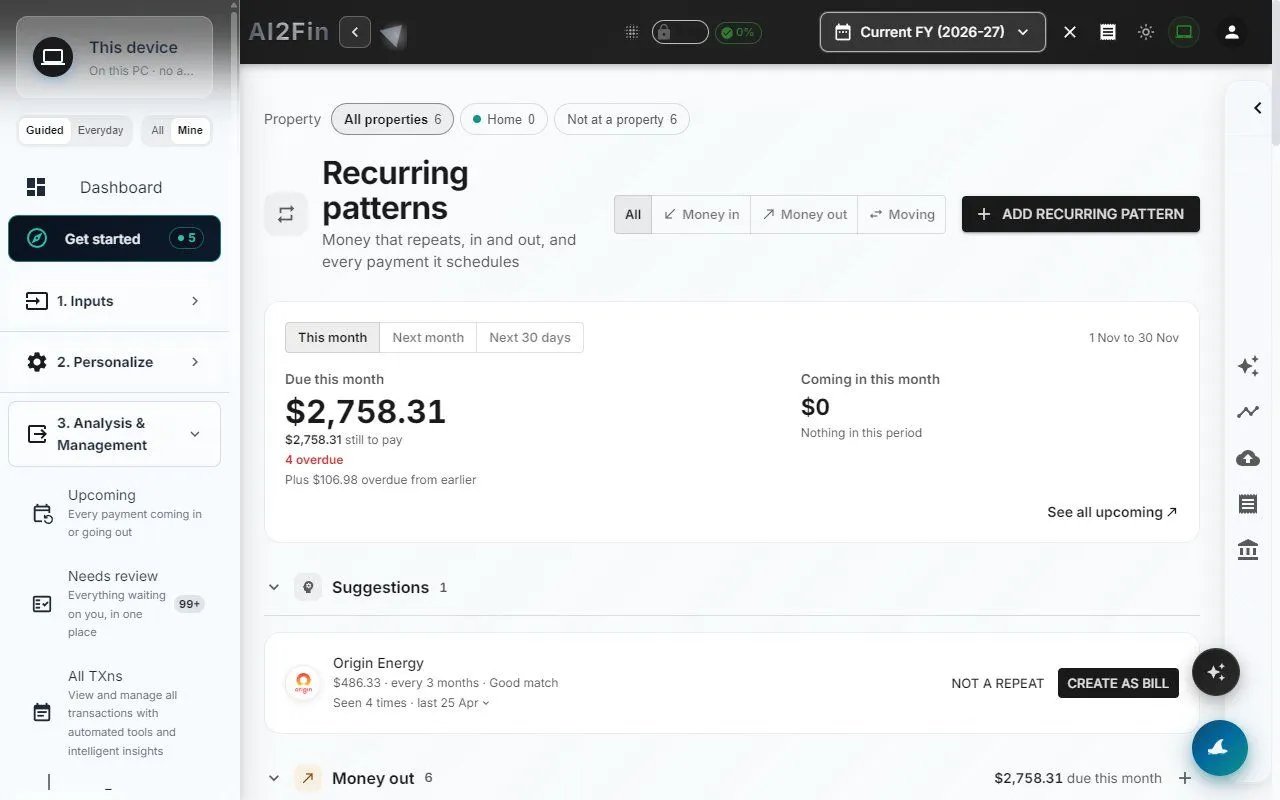
Recurring patterns with a suggestion to track as a bill. Example figures from test books.
Alerts
Fin compares each payment with the bill’s usual pattern and lists anything off under Upcoming → Needs a look:- Late — not paid by its usual day
- Missing — a cycle with no payment
- Bigger or smaller than usual — by default more than 10% for a fixed amount, 35% for a variable one
- Extra payment — a payment you did not expect
Pay on the biller’s site
A Pay on … button opens the biller’s own payment page. It appears only when the link is on the brand’s own registered domain and has been checked.- Add your own pay link to any bill. It is shown as yours, not as a checked link.
- Optionally save the biller account number. It is encrypted, and filled into the biller’s page where that page supports it.
- Billers are suggested by where you live: Australia, New Zealand, the UK and India, plus global subscriptions.
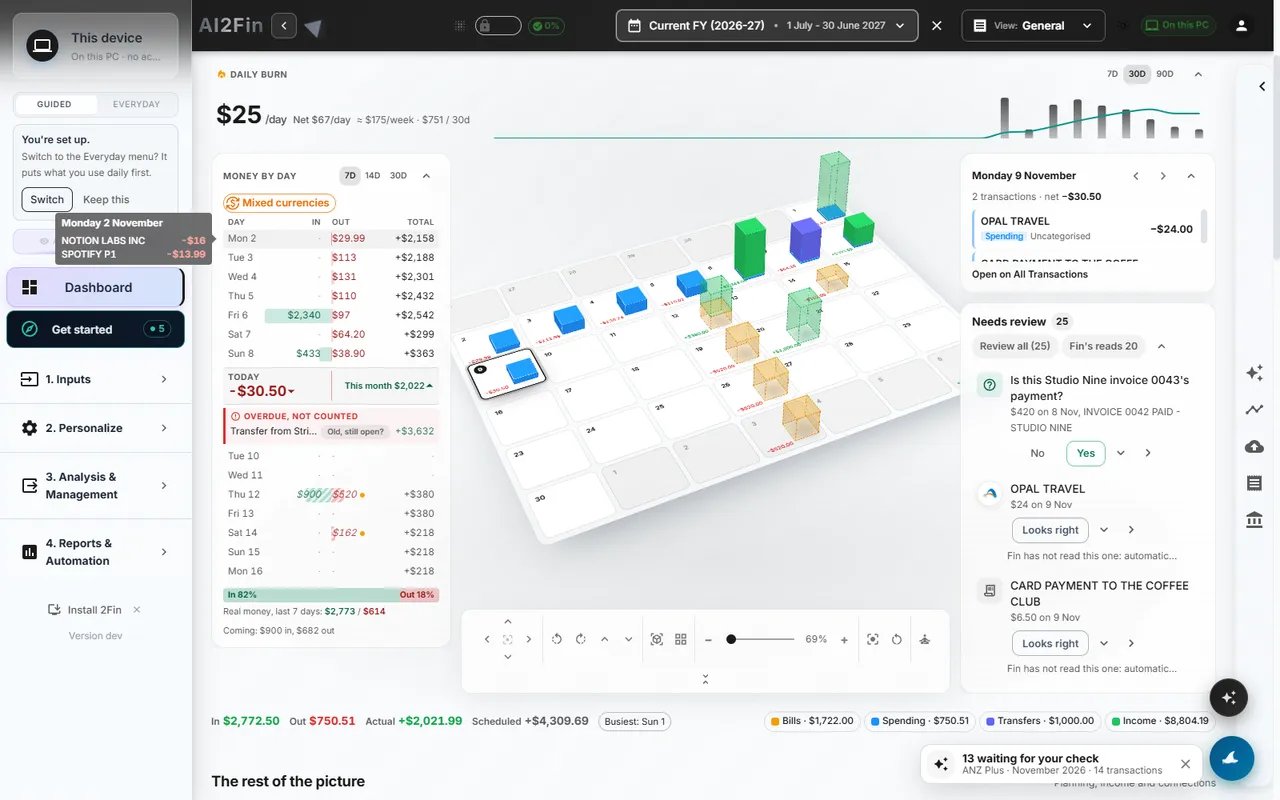
The dashboard money ladder. Example figures from test books.
The money ladder
The dashboard’s ladder shows paid items above today and expected ones below, overdue set apart, with money in and out side by side. Switch between 7, 14 and 30 days, and between the Items and Days views.Related
- Pattern analysis
- Import review
- MCP bill tools
- Product page: ai2fin.com/features/bills