
Importing and reviewing are on every plan. Fin’s reads draw on your plan’s monthly allowance. Making rules straight from the review is on ELITE+ and AUTO+.
Start an import
- Drop a file anywhere in the app — the import opens.
- Or go to 1. Inputs and choose a file: CSV, Excel, PDF, OFX, QFX, QIF, MT940 or CAMT.
- Bank feeds start their own review when new rows arrive.
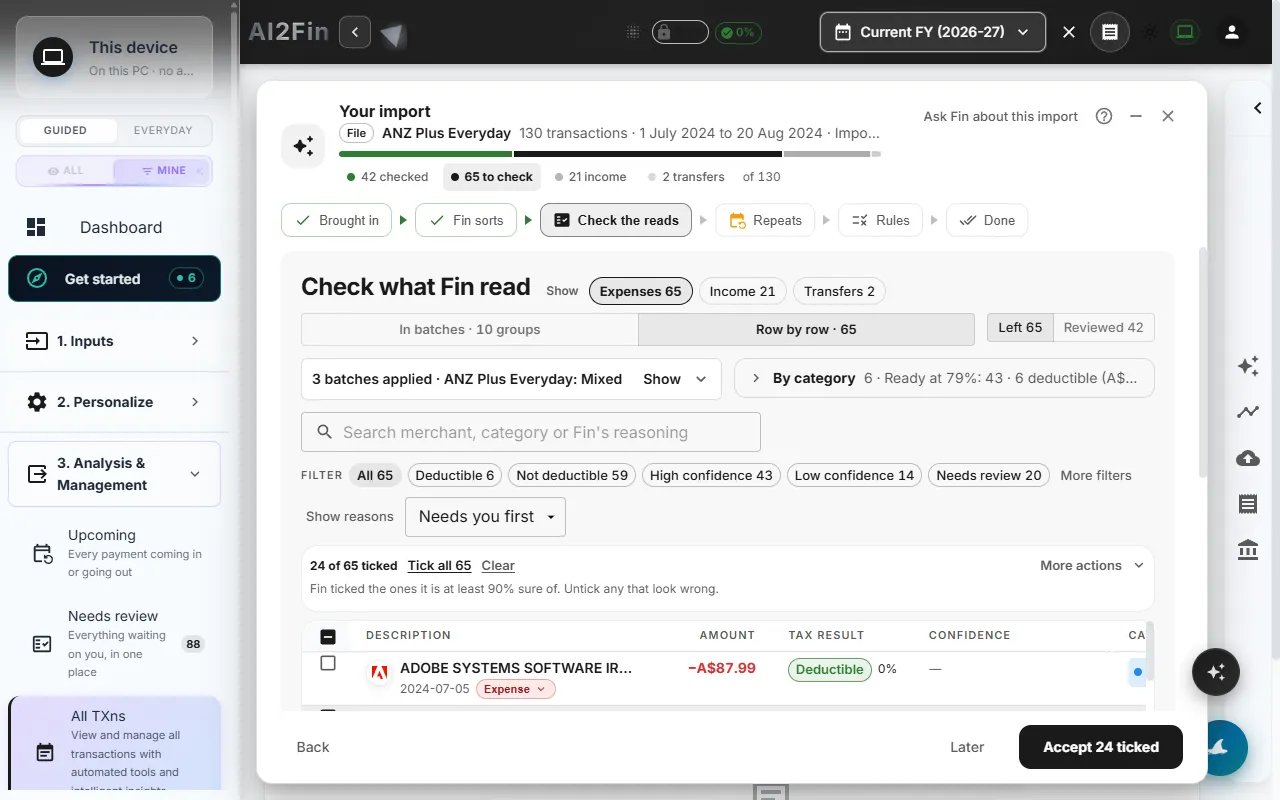
Check the reads, filtered by deductible and confidence. Example figures from test books.
The six steps
1
Brought in
How many rows arrived, from which account, over which dates. Fin asks who the account is for — Me, Business or Mixed — if it does not know yet.
2
Fin sorts
Fin reads each row: category, type and tax read, each with a reason. Choose Sort later and go to the end to let it finish in the background.
3
Check the reads
Rows Fin is at least 90% sure of are ticked. Filter by expenses, income, transfers or repeats, by deductible, by confidence, or Needs you first. Answer a repeated payee once for all its rows, or change a single row’s category or type in place.
4
Repeats
Payments that come back on a rhythm — including repeats waiting from earlier imports — are offered as bills. Track it or Not a repeat.
5
Rules
Your decisions, including those made in the batches panel, are offered as rules, already ticked. Nothing is created until you press Make.
6
Done
The summary says whether the import is actually finished, and what each step did.
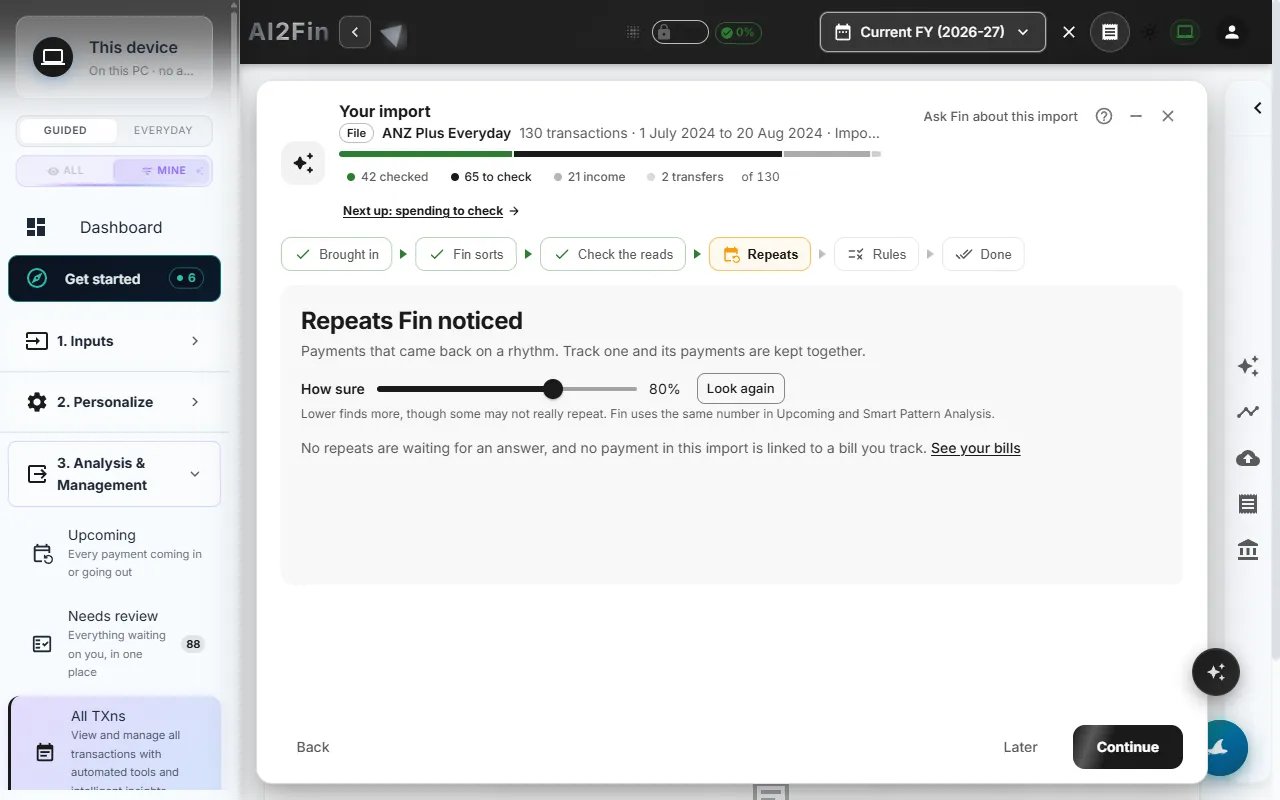
The Repeats step offers repeating payments as bills. Example figures from test books.
Needs review, one card at a time
Needs review collects what is still waiting across all imports. The swipe deck shows one card at a time:
The keyboard works too. Answers save together, with Undo. Set the same category for a merchant three times and Fin offers to make it a rule.