
Mode
Choose Light, Dark or Match device.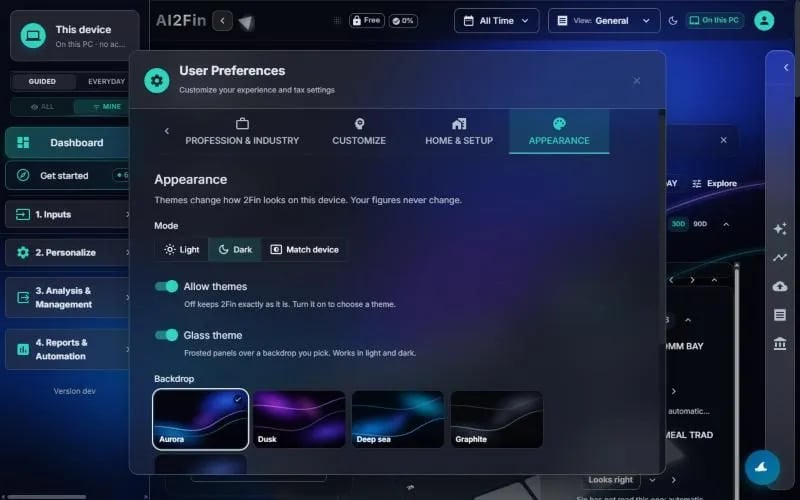
Preferences → Appearance. Example figures from test books.
Themes
1
Allow themes
Turn on Allow themes. Off keeps 2Fin exactly as it is.
2
Glass theme
Turn on Glass theme for frosted panels over a backdrop, in light or dark. Pick a backdrop: Aurora, Dusk, Deep sea, Graphite and others.
3
Your own picture
Choose a picture of your own as the backdrop. It is scaled and kept in this browser on this device, and never uploaded. Delete it any time.
4
Moving backdrop
The backdrop drifts slowly. Turn off Moving backdrop to keep it still; it also rests when your system asks for reduced motion.
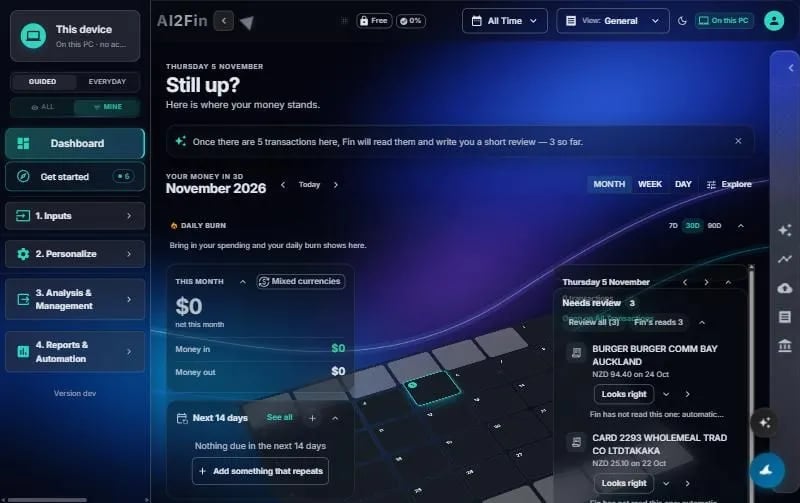
The dashboard in the glass theme. Example figures from test books.
Zen night
A grey night theme with no card borders and primary buttons in a slow teal-to-sea-blue gradient. Night only, and used instead of the glass theme.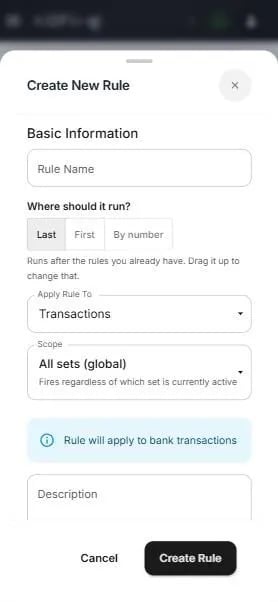
A new rule asks where it should run. Example figures from test books.
Customise your books
Related
- User preferences
- Categories
- Lenses
- Custom rules
- Product page: ai2fin.com/features/themes